
AI video summaries, transcripts & bookmarks
Never lose a moment in a video again.
Share a YouTube, TikTok or Instagram video. MarkerShelf writes the transcript and an AI summary with timestamps, and saves the exact seconds you care about.
Your saved videos are a graveyard.
Likes and bookmarks save the whole video, never the moment. Saves live in each app, YouTube here, Instagram there, and nothing is in one place you can search. Future you has no idea why past you saved it.
See it in action.
Markers, share sheet, transcripts, AI summaries, collections and search. Two and a half minutes, no talking head.
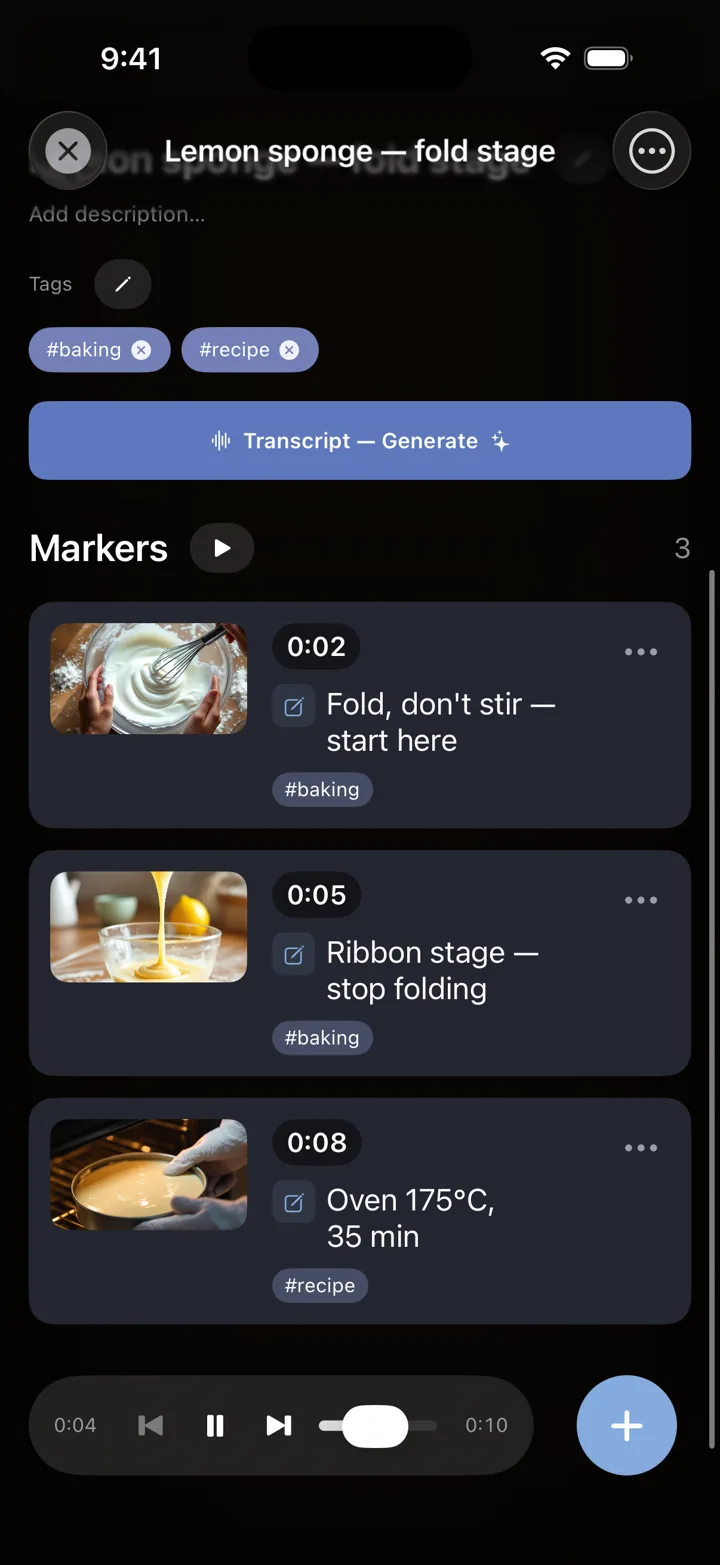
Bookmark the moment, not the video.
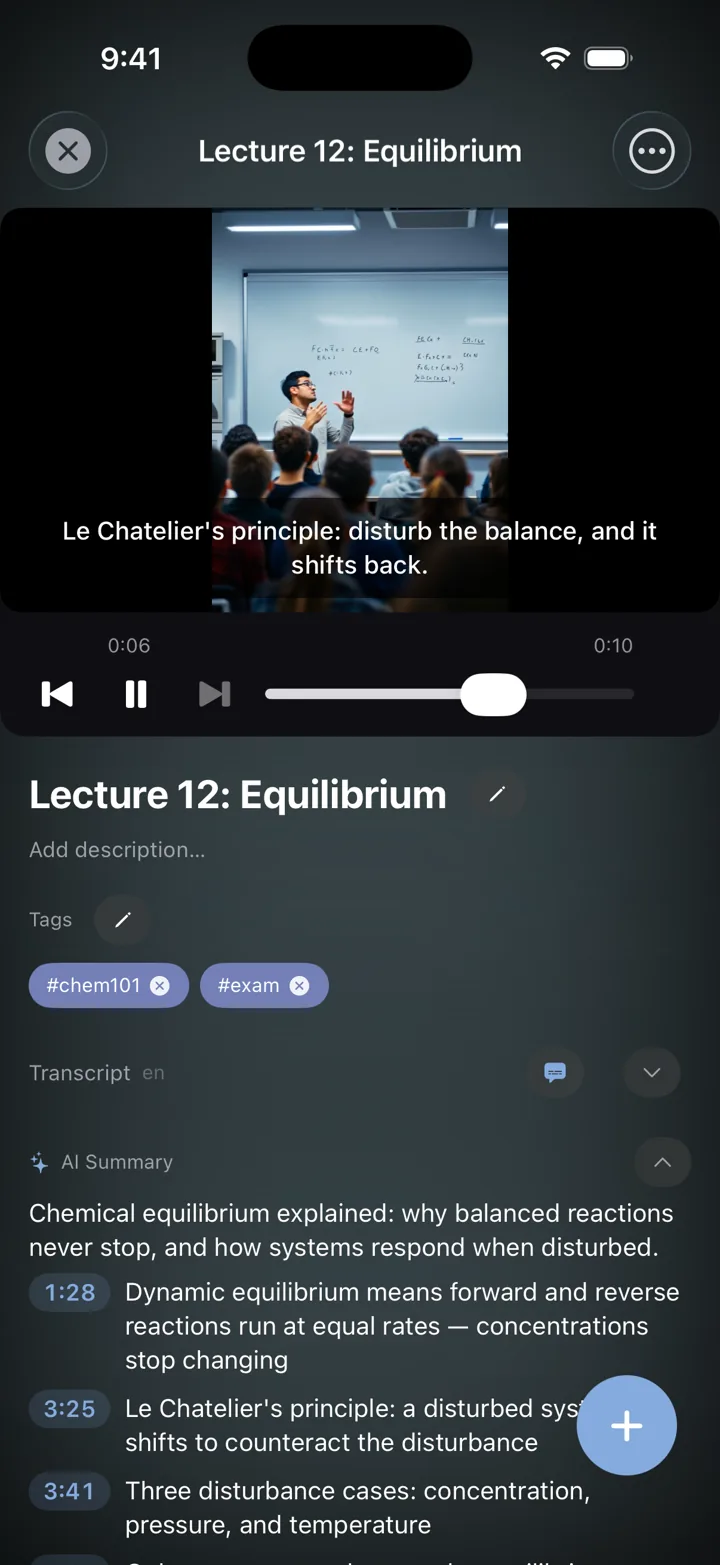
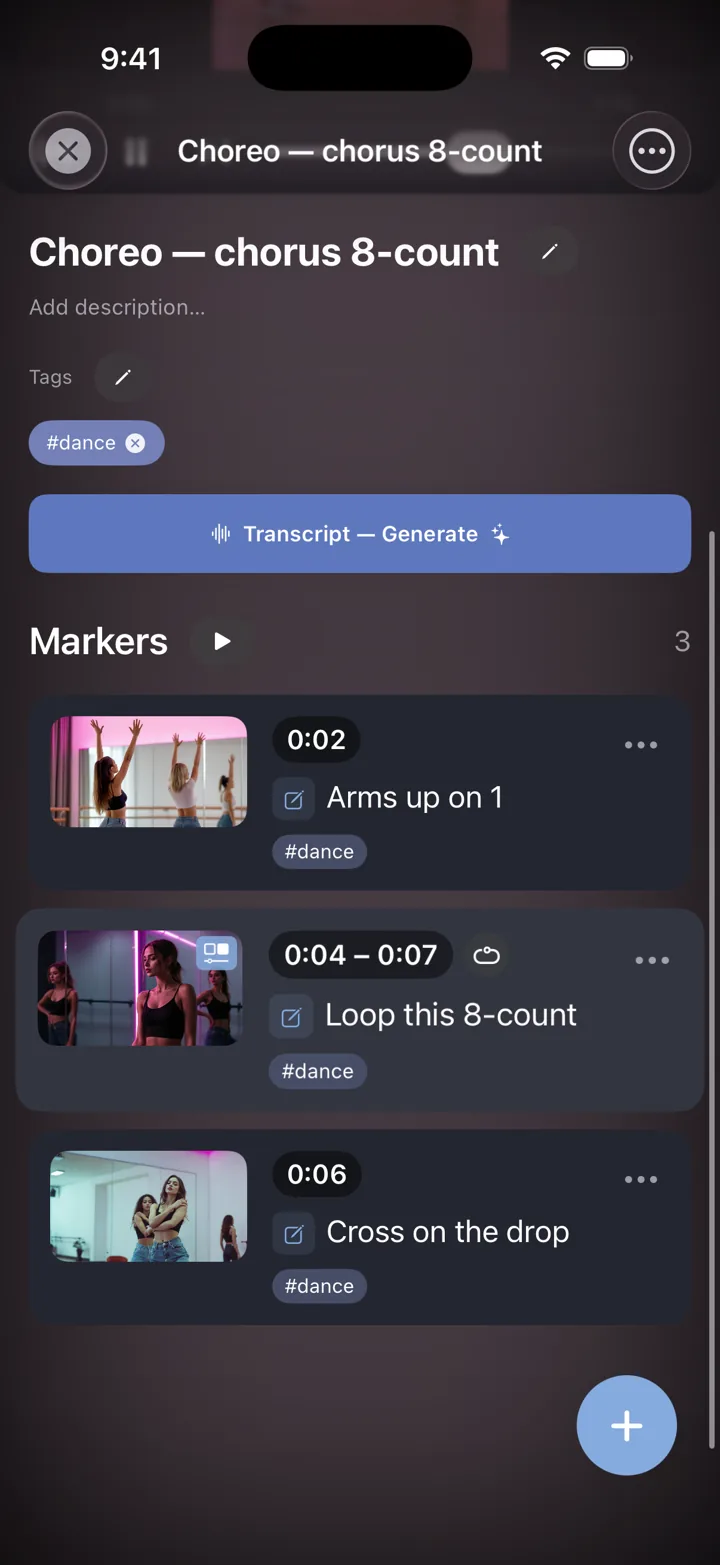
One tap saves the exact second, with a screenshot of that frame, your note and tags. Tap the marker later and the video jumps straight back to that instant.
- Auto screenshot of the exact frame.
- Notes and tags on every marker.
- Suggested notes. Drop a marker and MarkerShelf suggests a note from what’s said at that moment (Pro).
- Tap to jump the player back to that instant.
AI video summaries, with timestamps.
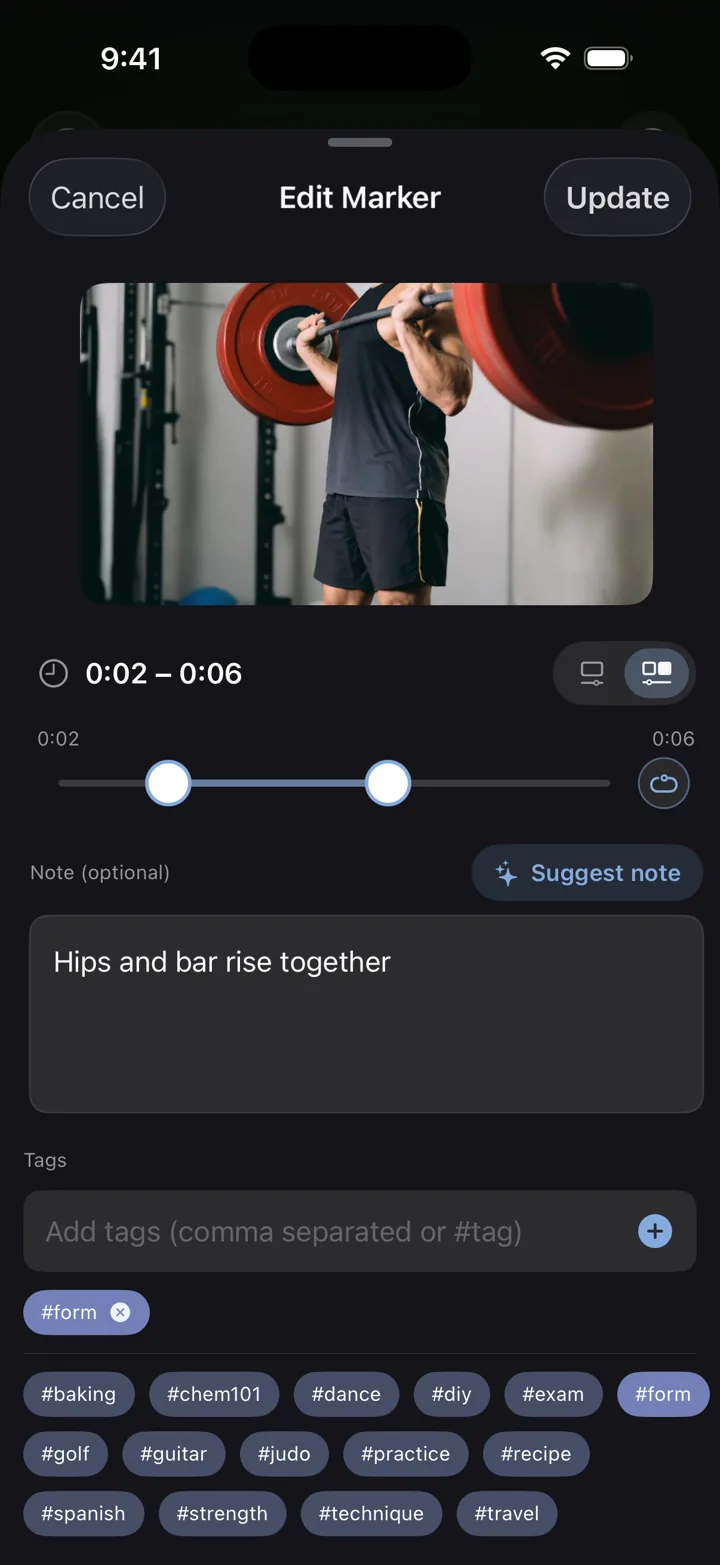
A one-sentence TL;DR and the key points of a public video, each tied to the moment it was said. For YouTube, TikTok, Instagram, Facebook, X and LinkedIn, and for your own recordings.
- 1. Share the video to MarkerShelf from the app you are watching in.
- 2. Get the transcript, even when the video has no captions or subtitles. Tap a line to jump there.
- 3. Read the summary. Tap a bullet and the video jumps to that moment.
Translate the summary and transcript into 30+ languages. Full transcripts and summaries come with Pro; the free plan shows a preview.
Find any word. Jump to that second.
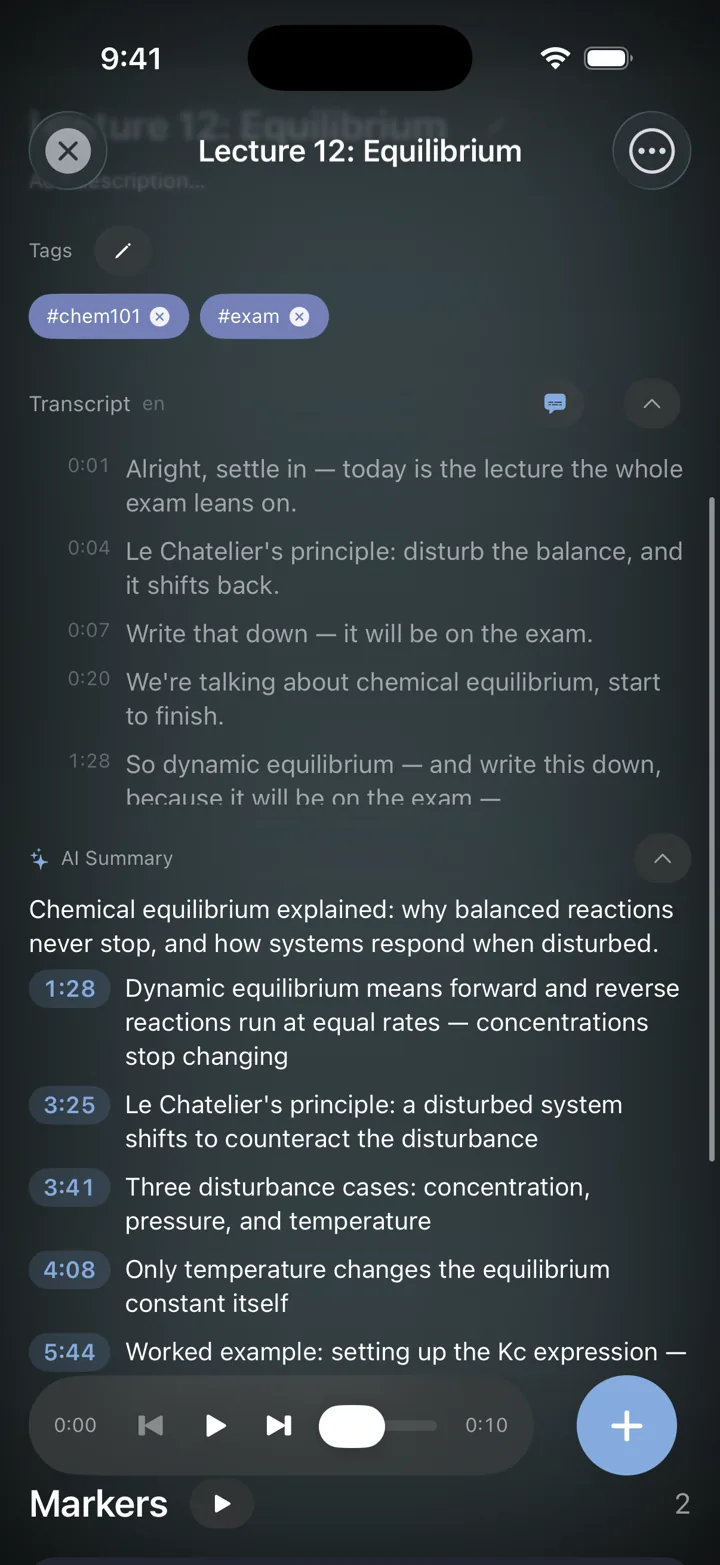
Search runs across titles, notes and tags. With Pro it also finds every spoken word in your transcripts: tap a result and the player opens on that word, highlighted in the captions.
Lectures and courses: get the transcript and an AI summary, mark the parts that matter, search a word to jump to where it was said (Pro).
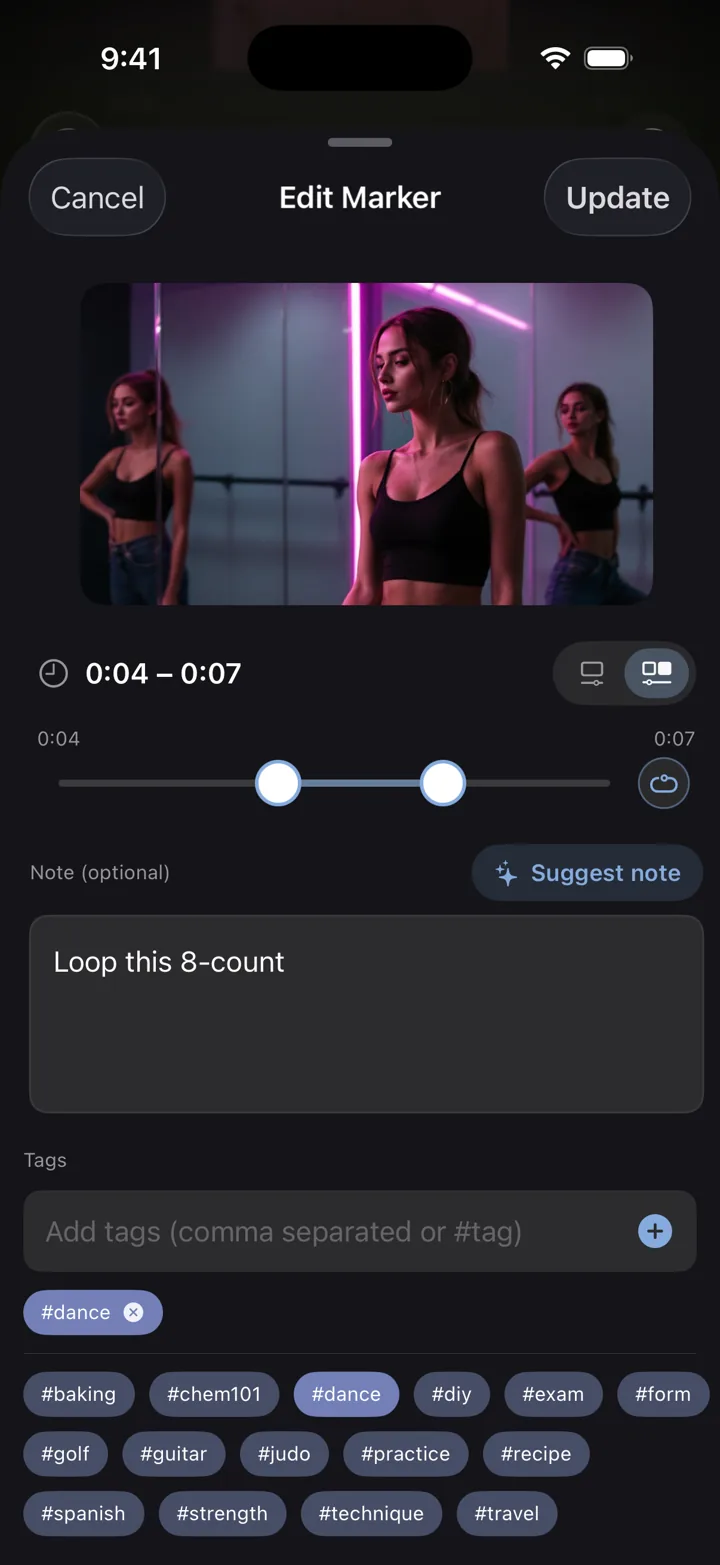
Range markers & loops.
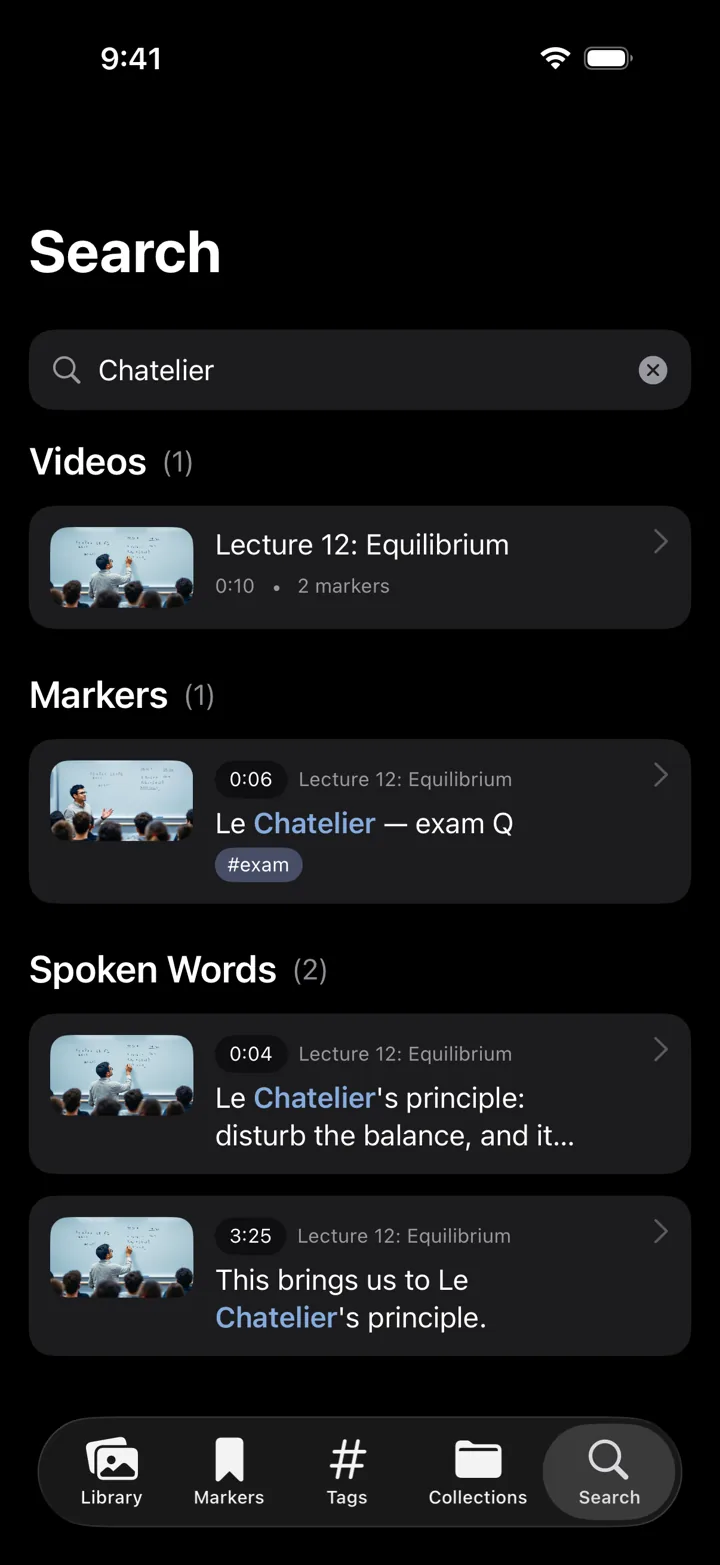
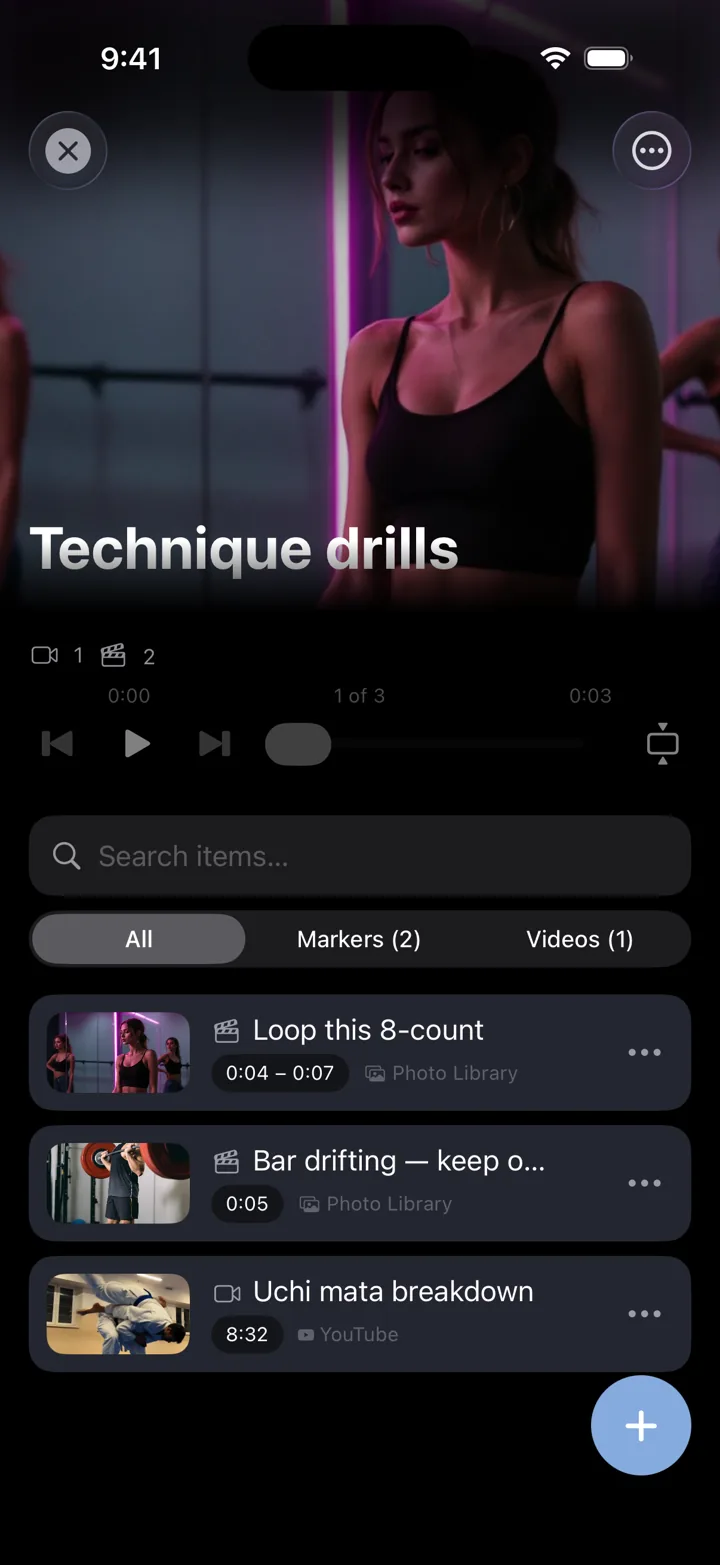
A range marker holds a start and an end. Turn on loop and the span replays until it sticks: a chorus 8-count, a set of reps, a phrase in a new language, a tricky step in a recipe. Add a note per range, or let AI summarize what was said inside it.
- Two handles for start and end.
- A to B loop that never stops.
- 3 range markers per video with Marker, unlimited with Pro.
- Range summary. AI sums up what was said between the handles.
Save from the app you’re already in.
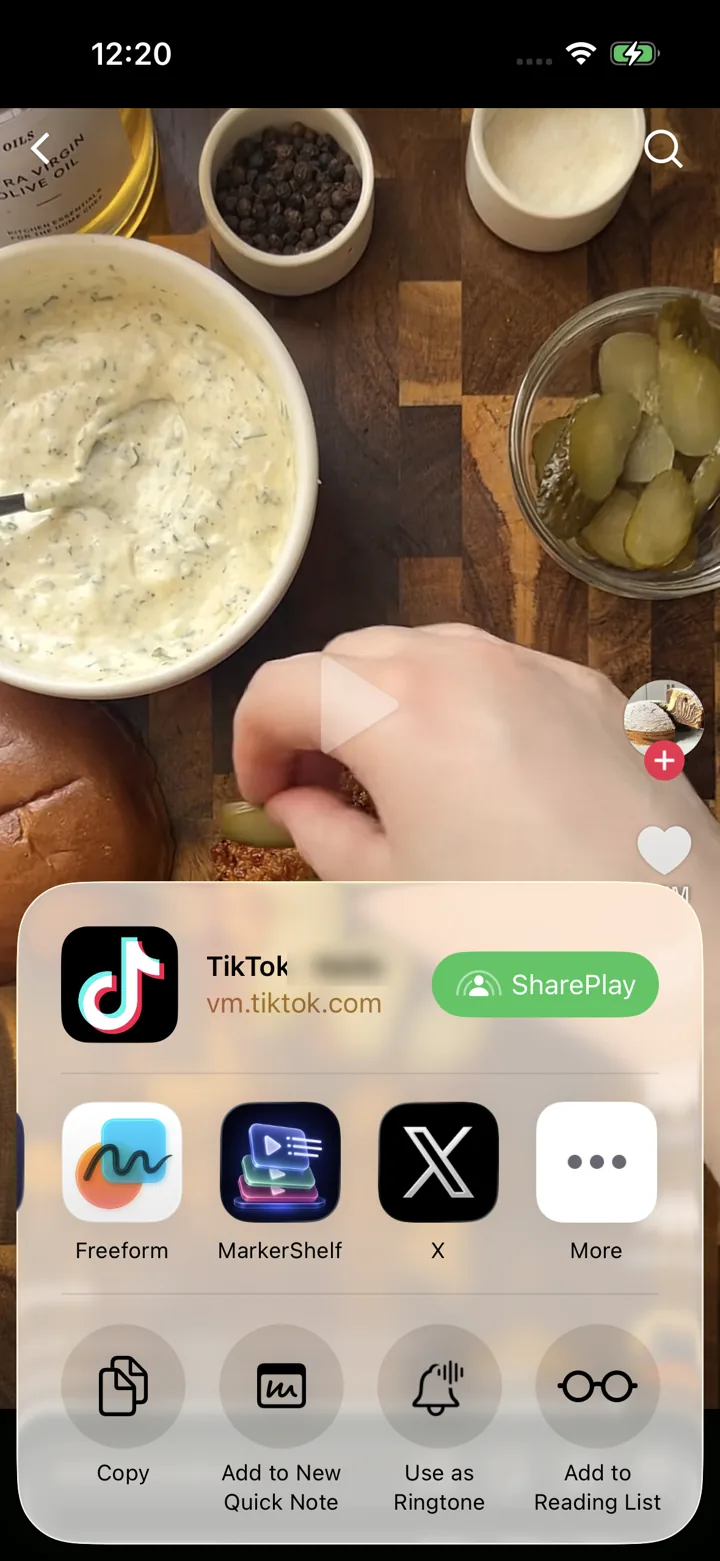
Works with the apps you already use: YouTube, TikTok, Instagram, Facebook, X and LinkedIn, plus your own videos from Photos and Files.
Save from the Share button in any of those apps — one tap, no copy-paste. The video lands in your library with its title, thumbnail and duration, ready to mark. Sharing works the other way too: export your markers to send or keep.
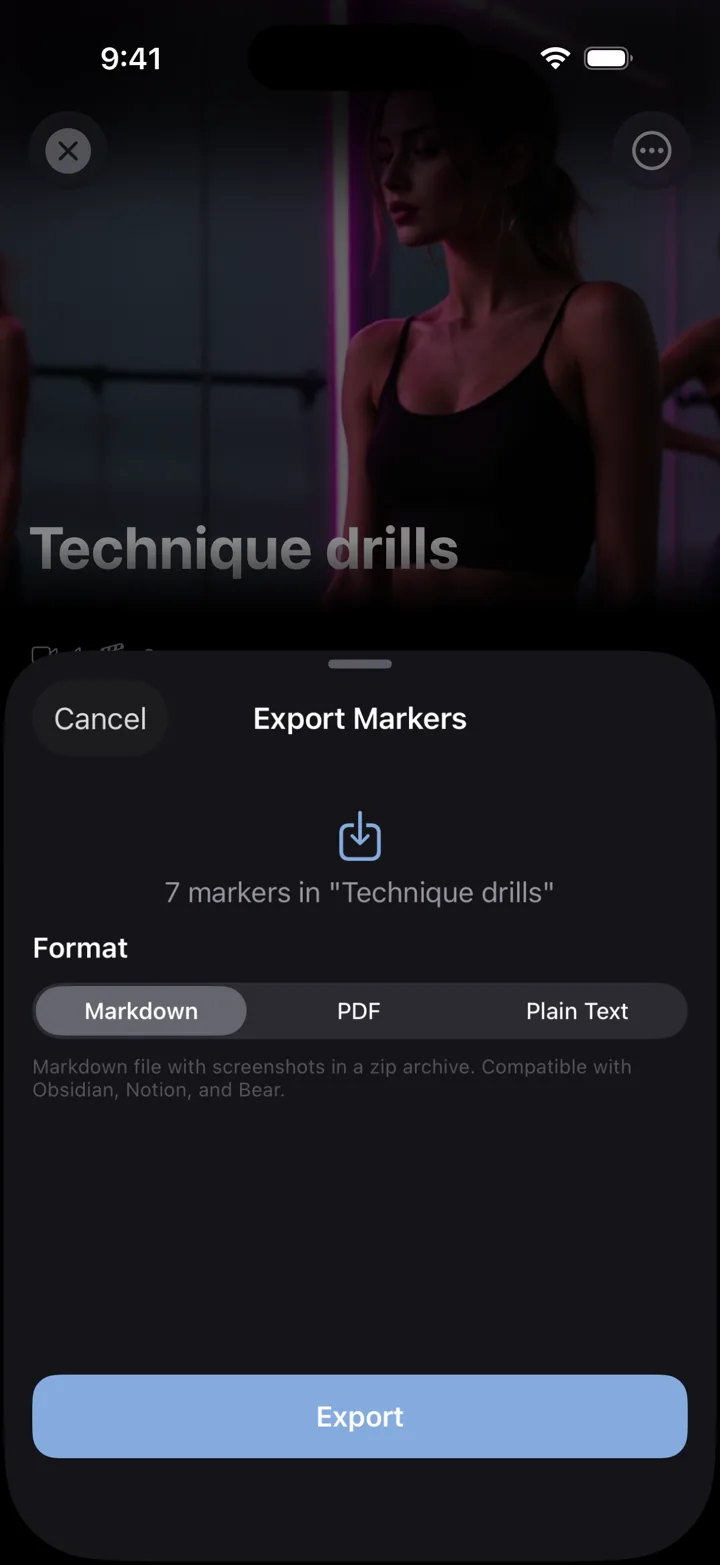
Collections. Export video markers.
Group moments from different platforms into one playlist and play them back to back. Then share your markers out: each one comes with its timestamp, note, tags and a link to the video.
- Timestamped links. YouTube links open at that second; other videos list the time next to the link.
- Lecture notes from your markers: every timestamp and note from a lecture in one file.
- Plain text with Marker. PDF and Markdown with screenshots for Notion or Obsidian, with Pro.
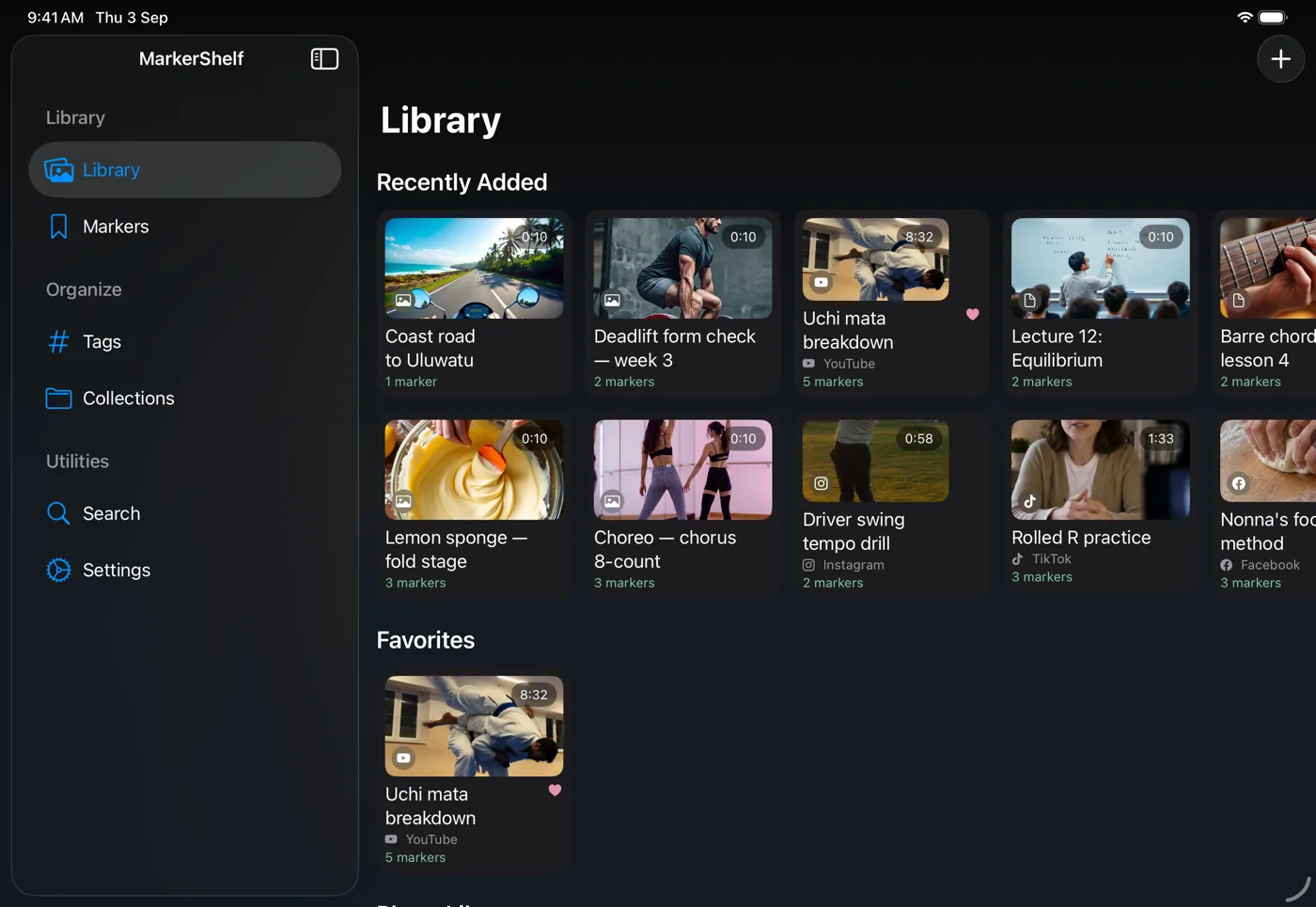
iPhone and iPad. One subscription, both devices.
Syncs between iPhone and iPad through your own iCloud. No account needed. On iPad you also get two-pane review and keyboard shortcuts.
Pricing
Start free. Upgrade when the free limits get in your way.
Free
$0
No account needed
- 10 videos
- 3 markers per video
- 5 tags
- 1 collection
- Search titles, notes & tags
- Transcript, summary & translation previews
Marker
$2.99/mo
Unlimited bookmarking
- Unlimited videos
- Unlimited point markers
- Unlimited tags
- 1 collection
- Text export
- 3 range markers per video
Pro
Annual
Save 40%$4.17/mo
$83.88 $49.99/yr billed annually
or $6.99/mo monthly (no trial)
- Everything in Marker
- Unlimited range markers, loops & collections
- Full transcripts, AI summary, word search & translation
- PDF, Markdown & text export
Prices vary by region.
Questions
How do I summarize a YouTube video on iPhone?
In the YouTube app, tap Share and pick MarkerShelf. The video lands in your library. Open it to get the transcript and an AI summary: a one-sentence TL;DR plus the key points, each with a timestamp you can tap to jump to that moment.
Does it work for videos without captions?
Yes. MarkerShelf writes its own transcript from what is said, so it works even when the video has no captions or subtitles. Videos you add from Photos or Files are transcribed on your iPhone.
Which apps and platforms are supported?
YouTube, TikTok, Instagram, Facebook, X and LinkedIn, plus your own videos from Photos and Files. Online videos must be public, up to 180 minutes long.
Are AI summaries free?
The free plan shows a preview: about 30 seconds of the transcript and a one-sentence summary. Full transcripts, AI summaries, translation and word search come with Pro, $6.99 a month or $49.99 a year, with a 7-day free trial on the yearly plan.
What languages are supported?
You can translate summaries and transcripts into more than 30 languages.
Does MarkerShelf download videos?
No. MarkerShelf saves the link, your markers and notes, not the video file. Online videos play from the original platform.
Can I use it for lectures and online courses?
Yes, for lectures on YouTube and the other supported apps, and for your own recordings from Photos or Files. You get the transcript and an AI summary with timestamps, can mark the parts that matter, and with Pro search a word to jump to where it was said. You can also export your markers, with timestamps and notes, as text (Marker) or as PDF and Markdown (Pro).
Do I need an account?
No. There is no account and no sign-up. Your library syncs between your iPhone and iPad through your own iCloud.
MarkerShelf is free to start: 10 videos, 3 markers each, 5 tags, 1 collection and search across titles, notes and tags. Marker adds unlimited videos, point markers and tags, plus 3 range markers per video. Pro unlocks unlimited range markers, loops and collections, full transcripts, AI summaries, translation and word search, with a 7-day free trial on the yearly plan. Requires iOS 26.
Free to start, upgrade anytime.
© 2026 App Labs. YouTube, Instagram, TikTok, Facebook, X and LinkedIn are trademarks of their owners.